

An In-Depth Look into Ergonomic Office Chairs
Many studies have found that sitting for a long period can hurt your body. Sitting increases stress on your back, shoulders, arms, and legs.
If you have to sit to work at home or the office, it is a good idea to invest in an ergonomic office chair. These chairs are designed to provide good support for your back while also helping you to maintain good posture as you sit. However, it is not enough to select a chair that it is better for your health. It also needs to adjust to your specific body type before you can enjoy the full benefits of an ergonomic office chair.
At Relax House, we offer the best ergonomic office chairs, including Eames replica furniture, at affordable prices. If you are wondering how to shop for an ergonomic office chair, here is what you should look for.
Ergonomic Chair Essentials: Perfecting Seat Height and Depth
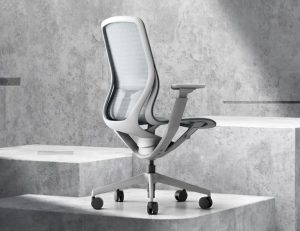
When it comes to the seat height for the chair, your chair should adjust so that your feet are flat on the floor with your knees at a 90-degree angle. This posture helps you to keep from slouching and ensures that your pelvis is maintained in an upright position. This reduces the amount of stress on your thighs and hamstrings. High back office chairs feature an adjustable seat height. You should select a chair that allows you to maintain full contact with the backrest of the chair. There shouldn’t be a huge gap between the front of the seat and the back of your needs. This positioning is ideal for ensuring that your legs have the right amount of support.
Ergonomic Office Chairs: Lumbar Support for Healthy Posture
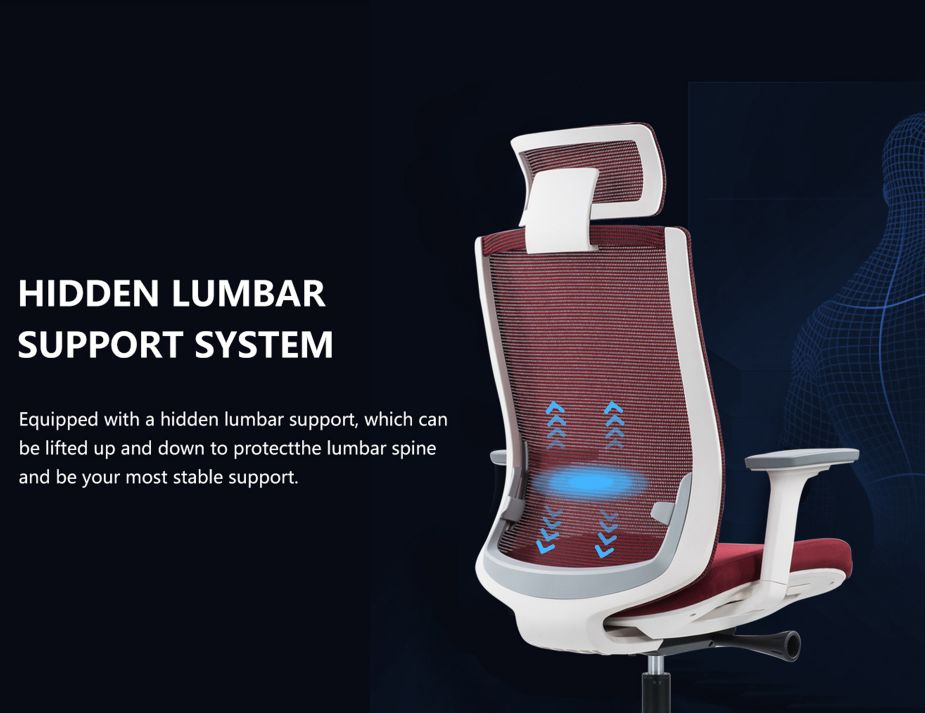
Support for your back is extremely important. Opt for a chair that allows you to adjust the height of the backrest to ensure that the right amount of support is provided for your body. A chair with a shaped back is also a good option for helping to support the natural ‘S’ curve of your spine.
For the best lumbar support, select a chair that permits both vertical and depth adjustment. This is important if you have lower back problems or if other people will also use the chair. The majority of lumbar supports can be adjusted vertically as you lower and raise the chair. A chair that does not have an adjustable back height or lumbar support is not likely to work for most people.
If you are seated for long hours for work, you might find yourself a little hot in the lumbar area. If so, choose a mesh backrest that will allow the air to flow to your back and keep you cool, especially on hot summer days.
Ergonomic Chair Mechanisms: Synchro-Tilt vs. Multifunction
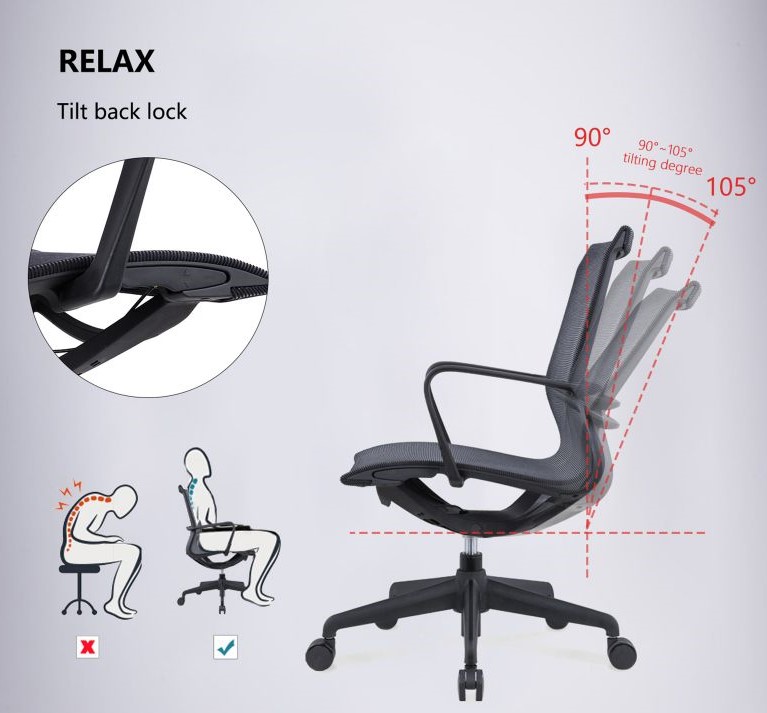
There are a few options when it comes to ergonomic chairs for the chair mechanism. This controls how the seat moves back and forth. Most chairs feature levers under the seat that the user can use to adjust the chair by pulling, pushing, or twisting the level. Some advanced chair models may feature more than one mechanism for the same chair.
Multifunction mechanisms allow the back and seat angles to be adjusted independently which provides a greater number of seating positions. The synchro-tilt mechanism allows the seat and the back of the chair to tilt at the same time as you lean back. Because there is a smaller range of adjustability, this type of mechanism is not as ergonomic as the multifunction mechanism option.
Optimizing Comfort: Office Chairs with Adjustable Armrests
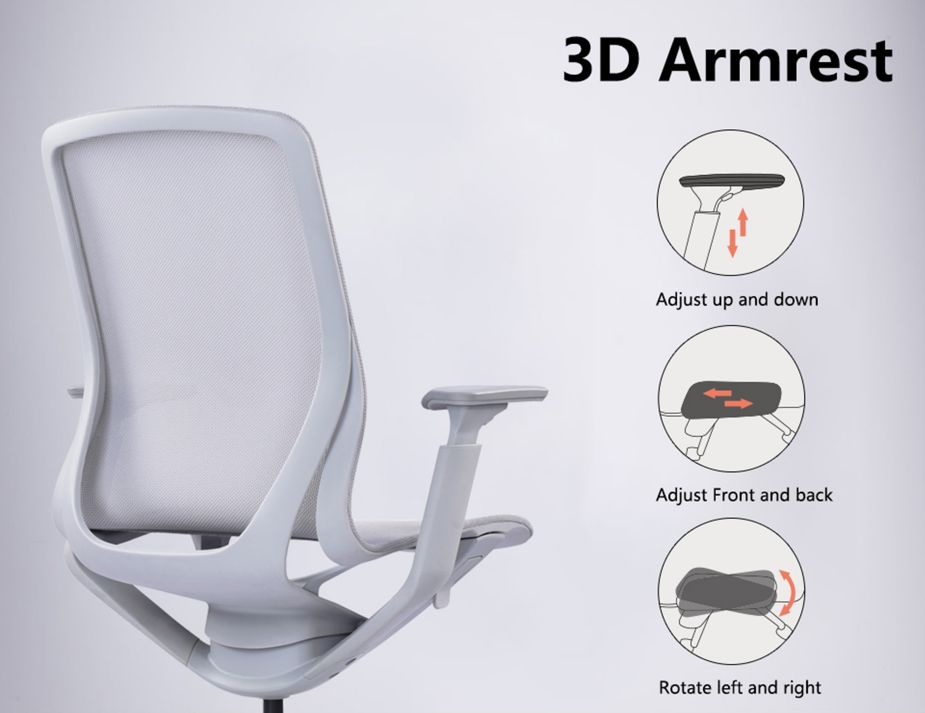
The armrests for the chair need to be positioned at an angle and height that will reduce muscle strain. The ideal height for the armrests should permit the elbow to rest on the arm pad while the arms and shoulders are relaxed at a 90-degree angle. Make sure that the armrests are not so high that your shoulders are hunched. Additionally, they shouldn’t be so low that your arms do not rest on the arm pad. If you are sitting for long hours, it’s a good idea to be as comfortable as possible, choose a computer chair with adjustable armrests.
Ergonomic Office Chairs: Selecting the Right Wheels
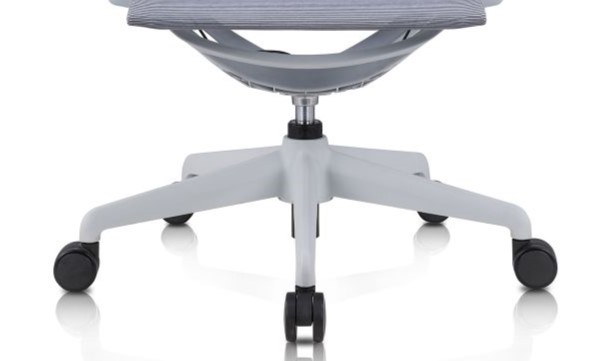
In addition to the design of the chair, you should also pay attention to the chair base. Select a chair that has a minimum five-spoke base for the best stability. A chair that features quality casters will also be easier to move and should work with most floor surfaces.
Office Chairs with Headrests: Relief for Neck Problems
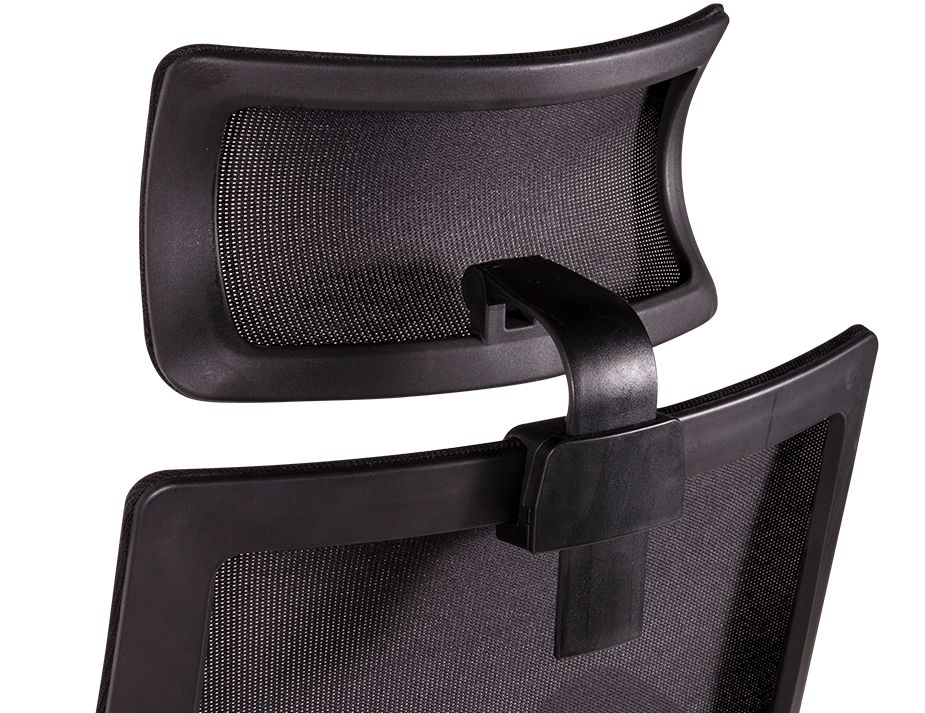
Most ergonomic chairs lack a headrest, yet it’s beneficial for neck issues. A headrest offers support for your head and also reduces pressure on your neck.
Not all ergonomic chairs are created equally. Some chairs are specially designed to offer the best ergonomic benefits. Our true-to-form replicas are exceptional modern chairs for your office, boardroom, home office, and more. The ergonomic designs combine comfort with style and elegance.
With a high-quality chair, you can maximize your productivity while adding a stylish piece of furniture to your workplace. These mid-century modern Classic chairs can bring a bit of that design epoch into your space.
FREQUENTLY ASKED QUESTIONS
Ergonomic office chairs are often worth the investment due to their potential to improve posture, increase comfort, and reduce the likelihood of developing strain injuries, which can be more costly in the long term.
Yes, ergonomic chairs can make a substantial difference in enhancing comfort and promoting proper posture, especially when adjusted correctly to fit the user’s body.
Incorrectly adjusted lumbar support can be harmful if it does not fit the natural curve of the spine or if it forces the spine into an unnatural position, leading to discomfort or pain.
A standing desk can offer ergonomic benefits by promoting movement and reducing the time spent sitting, but it should be used in conjunction with a chair to allow for periods of sitting and standing throughout the day.
To create an effective home office setup, start with a comfortable and supportive ergonomic office chair. Pair it with a suitable desk that provides ample workspace and complements the chair. Ensure your workspace is free of clutter and well-organized to promote productivity. Use proper lighting to reduce eye strain and consider adding decorative elements like plants or artwork to make the space inviting. The right combination of furniture and organization will help you maintain focus and achieve professional success while working remotely.
It is generally not recommended to sleep in an office chair as it can lead to poor sleeping posture and strain on the back and neck; however, if necessary, reclining slightly can be less straining than sitting upright.
The ideal sitting position in an office chair is one where your feet can rest flat on the floor, your thighs are parallel to the ground, and your arms are even with the height of the desk, which may require a higher or lower seat depending on your body height.
While not strictly necessary, armrests on an office chair can provide additional support and reduce strain on the shoulders and wrists, especially for tasks that involve prolonged computer use.
There can be an adjustment period when transitioning to an ergonomic chair as your body becomes accustomed to the proper posture and support, which may initially feel different or uncomfortable.
Some potential disadvantages of ergonomic furniture include higher costs, the need for individual adjustment for effectiveness, and the fact that it may not fit all body types or preferences without significant customization.
Regular office chairs typically have a basic design with limited adjustability and often lack adequate support, leading to poor posture and discomfort. They are usually made with standard materials without a focus on ergonomics. Ergonomic office chairs, on the other hand, are designed to support the spine and promote good posture, featuring highly adjustable components like seat height, armrests, and lumbar support. They are often made with high-quality materials intended for long-term use and comfort.
A bad ergonomic sitting position is one where the back is not properly supported, the feet do not rest flat on the floor, and the arms, neck, or wrists are strained due to improper alignment with the desk or computer.
The difference between an ergonomic chair and a standard office chair lies in the design; ergonomic chairs are specifically designed to provide support and comfort during long sitting periods, with multiple adjustable features to fit various body types and working styles, whereas standard office chairs may lack such specialized features.
A bad office chair lacks proper adjustability, support for the back and arms, and comfortable materials, leading to discomfort and potential posture issues.
A high-quality ergonomic chair can vary in price, but typically, investing anywhere from a few hundred to over a thousand dollars can secure a chair that provides the necessary support and durability for long-term use.
An ergonomic office chair is designed to support the natural curve of your spine and promote good posture, helping to prevent discomfort and injury associated with prolonged sitting. Unlike regular office chairs, ergonomic chairs come with adjustable features that allow users to customize the chair to their specific needs, including adjustable seat height, lumbar support, armrests, and backrest tilt. These features ensure optimal support, comfort, and reduced risk of back pain, enhancing productivity and focus.
Chairs without armrests can contribute to strain on the shoulders and neck because they do not provide support for the arms, which can affect posture and comfort.
When choosing an ergonomic chair for a home office, consider the chair’s adjustability features, lumbar support, seat material, overall comfort, and compatibility with your body size and the height of your desk.
When buying an ergonomic office chair, look for multiple adjustable features, such as seat height, armrests, backrest tilt, and lumbar support. Ensure the chair provides firm lumbar support to maintain the natural curve of your spine. The seat should be wide and deep enough for comfort, with a few inches of space between the back of your knees and the seat. Choose a chair made from breathable, comfortable materials like mesh for airflow or cushioned seats for added comfort. Additionally, mobility features like wheels and a swivel base can enhance ease of movement.
Individuals who spend many hours seated at a desk, such as office workers, gamers, and freelancers, can greatly benefit from an ergonomic chair that can minimize the stress on their spine and reduce the risk of discomfort.
The best office chair for prolonged sitting is one that provides adjustable lumbar support, a comfortable seat, and multiple adjustments to cater to individual preferences and body types, such as those found in high-end ergonomic chairs.
A chair with adjustable lumbar support that fits the curvature of your lower back is recommended for alleviating lower back pain, as it can help maintain proper alignment and reduce strain.